
WayinVideo
What it is
Overview
A video clipping tool that scans long-form content and extracts short segments for social media. Uses hybrid AI to detect speaker changes, highlight moments, and topic shifts in uploaded videos. The 1.9 million monthly visitors are content creators, students, and marketers who need to turn hour-long recordings into TikTok clips without manual scrubbing through footage.
At a glance
Usability & Quality overview
Best for
- Creators repurposing long videos into shorts for TikTok/Reels/YouTube
- Students/researchers summarizing lectures, podcasts, tutorials
- Professionals needing searchable video transcripts and summaries
Watch out for
- AI may miss subtle arguments in very technical videos requiring manual review[2]
- Free credits limit may push heavy users to subscription[2]
- Search results can occasionally be imprecise, requiring user judgment[2]
Real product, not a wrapperIndependent product
WayinVideo offers proprietary AI that automatically detects highlights and speaker changes in long videos, plus seamless workflow automation that processes, clips, and formats content without manual intervention. The Chrome extension provides innovative UX that works directly within YouTube.
Strong evidenceQuality score
WayinVideo Effective AI auto-clipping tool that turns long videos into viral shorts and searchable summaries, but free credits exhaust quickly for heavy users.
This score is our editorial judgment, computed automatically from the sources, weights, and dates shown above. It reflects the data we could verify as of July 20, 2026, not a guarantee or statement of fact about WayinVideo. Third-party ratings and quotes belong to their original platforms and authors. Thin data lowers our confidence label, and we say so instead of guessing. Work on WayinVideo? Dispute any datapoint and we will review it, publish your response, and correct verified errors.
Plans
Pricing
How free is free?
Trial only
200 one-time credits, then $14/mo for ongoing use
What you get for free
- 200 credits one-time (not renewable)
- Basic AI clipping functionality
- Video summaries included
- 720p export quality
- 3 days storage only
Behind the paywall
- Monthly credit renewalStandard ($14/mo)
- 1080p export qualityStandard ($14/mo)
- Advanced editing toolsStandard ($14/mo)
- AI clipping with virality scoreStandard ($14/mo)
- 2K export qualityPro ($27/mo)
- Bulk editing up to 100 clipsPro ($27/mo)
Community feedback
Aggregated reviews
Ratings and quoted comments below are aggregated from third-party sources and reflect those users' views, not SearchTools.ai's.
What reviewers talk about
themes inside the Sentiment pillar — not score ingredients
78Output Quality26 mentions
“I tested a few popular video summarizers (Descript, Otter ai, Pictory) while working on long YouTube lectures. Here’s the quick comparison 👇 1️⃣ Handling Long Videos (10+ hours) WayinVideo: ✅ Handles without splitting files Others: ❌ Struggle or require file splitting 2️⃣ Works Without Subtitles WayinVideo: ✅ Fully functional Others: ❌ Need captions for accuracy 3️⃣ Interactive Q&A (ask questions about video or screenshots) WayinVideo: ✅ Supports dynamic queries Others: ❌ Only provide static su”
“Viral score judging my clips harder than my audience 💀”
“Been testing a bunch of AI tools lately to summarize long YouTube videos — mostly lectures, podcasts, and deep-dive content I don’t have time to fully watch. Here’s what’s stood out so far: • Wayin.ai – My top pick right now. It doesn’t just summarize — it delivers structured insights, a searchable transcript, and key points that actually make contextual sense. Works with YouTube links and video files. You can even ask it questions directly or screenshot parts of a video to query specific sectio”
“Over the past month, I’ve been on a mission to find the best AI video summarizer. I watch hours of long-form content podcasts, university lectures, webinars, interviews — and while YouTube’s timestamps and auto-generated captions help, they’re nowhere near enough when you need clarity and structure. So I tested a bunch of AI tools side by side. Most did a decent job with basic text summaries, but one tool stood out in a way the others didn’t: WayinVideo’s Video Summarizer. Honestly, it feels lik”
35Value & Pricingthin data · 5 mentions
“Getting clips have never been this easy. Been using WayinVideo for the past 2 weeks and honestly, the website does a great job in getting the clips that I want to post. Being a gamer, it is hard to clip your best plays but WayinVideo's editing tool makes it a lot more convenient and easy for me to post it online. THANK YOU FOR SAVING MY TIME! Said i would get free 100 minutes of clips. but then it requires a payment, fk this site dont use it. I’ve”
“Anyone have experience using this service over time? My bank has them on a black-list so if I want to upgrade to paid subscription I would need to ask them to manually approve the transaction and I am advised that I then do so on own risk. Been using the free version and I am fairly happy with the test so far.”
“How much do you pay for these tools? The plans seem expensive but I’d love to try if worth it”
“Hi,what do you think about these ai clip creation tools? Something like nexus clips, opus clips and such.Is it worth the money? How much time does it actually save and how effective is it actually? Any experience?Do you prefer a specific one of these tools over others?With my schedule I'm starting to consider it because with some, paying about 15 usd is pretty appealing if it can save even half the time I'd normally spend on scrubbing footage and editing. I might even be downplaying the power of”
62Reliabilitythin data · 5 mentions
“It was good, but today there is a pop-up window blocking the video, and there is no way to close it!”
“So I’ve been testing a bunch of AI video summarizers lately because I’m drowning in long lectures/tutorials and needed a way to make note-taking less painful. Tried a few popular ones and here’s how they stacked up for me: WayinVideo Summarizer→ this one ended up being my go-to. It’s made for video, so the summaries aren’t just giant walls of text. You get key points, context, timestamps — and honestly, it’s fast. Even 2–3 hour lectures spit out a summary in seconds. What really sold me though i”
“Nice work. I think a lot of people overlook how slow some of these tools can get with longer videos. I’ve been using the WayinVideo Chrome extension, probably the fastest I’ve tried so far, and I still keep free ones like yours for backup. (Too many lectures to watch otherwise!)”
“Honestly, AI clipping tools are finally usable, but they’re not all built for the same pain point. StreamLadder / Opus Clip:- Good if you already know roughly where your clips are. They’re more about formatting and captions than discovery, in my experience. Vizard:- Nice for podcasts and interviews, especially with speaker detection, but it still assumes you’ll do some hunting yourself. WayinVideo:- This one stood out because it actually understands long VODs pretty fast and helps uncover moment”
70Ease of Usethin data · 8 mentions
“This is a must-have if you want to save time. 1. Super Fast: Get a summary in 10 seconds. 2. Efficient: Click the timestamps to jump straight to the good parts. 3. Seamless: Everything happens right on YouTube, no annoying copy-pasting to other sites. It’s simple, fast, and does exactly what it promises.”
“It was good, but today there is a pop-up window blocking the video, and there is no way to close it!”
“Trying to find a solid free AI clip maker for YouTube Shorts and Instagram Reels. A few things I'm looking for: Automatic clip detection from long videos Easy captions Doesn't slap huge watermarks everywhere Works without spending hours learning it Actually usable on the free plan I've looked at tactiq, and recently WayinVideo. So far WayinVideo seems pretty straightforward compared to other. The clip selection part felt easier than I expected and it didn't take forever to get started. That said”
“There are a bunch of options depending on how much control you want. Tools like Pictory or Runway are solid, but they can feel heavy if you just want fast clips. I ended up liking WayinVideo more for quick turnaround stuff. It felt less production studio and more get this content out today, which fit my workflow better when time was tight.”
Watch & learn
Video content
YouTube YOUTUBE40.7K views
How I Made $16,705.83 On Whop (as a low iq 21 year old)
MattTheMethod2 months ago
 YOUTUBE48K views
I Went Viral on TikTok in 7 Days (Anime Edits)
Molob2 months ago
 YOUTUBE1.3K views
The Easiest Way To Start Clipping For Beginners In 2026 (Step By Step)
ethanshustle2 months ago
 YOUTUBE455 views
How To Make Money with AI Clipping In 2026
syraxverse2 months ago
 YOUTUBE33 views
How to Use WayInVideo & ElevenReader: Full Tutorial (Step-by-Step)
TechnologyClasses2 months ago
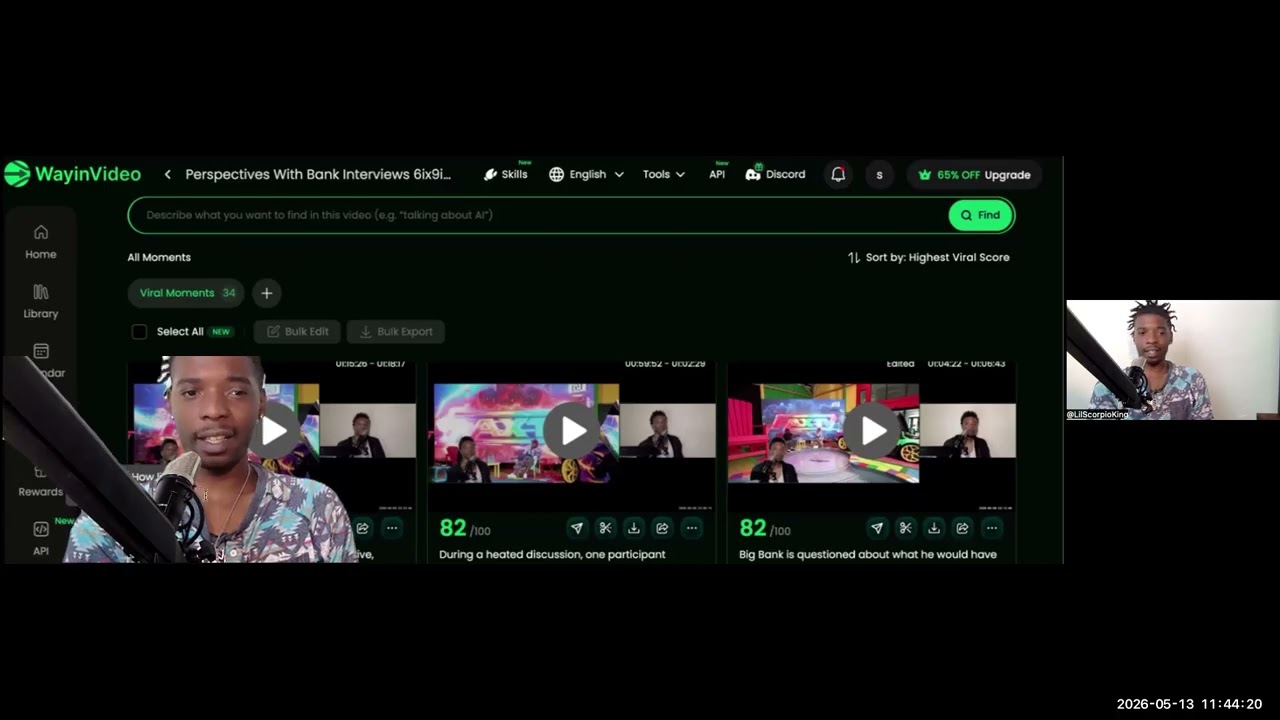 YOUTUBE31 views
How To Use WayInVideo To Help Ai Clip Your Videos
letshelpyougrownow2 months ago
Capabilities
Key features
Short Clips Generator
Cuts long videos into short clips formatted for social feeds and reels
Video Editor
Cuts, trims, and assembles footage into polished videos using text commands
Captions or Subtitle
Generates accurate captions and subtitles for videos in multiple languages
Social Media Assistant
Creates and schedules social posts and manages content across your accounts
The honest take
What users love & flag
Distinct themes surfaced across 47 reviews from 1 source — each grounded in real review text, ranked by how often it comes up.
Questions
Frequently asked
What is WayinVideo?
WayinVideo is an AI-powered video editing platform that transforms long-form videos into engaging short clips for social media platforms like TikTok, Instagram Reels, and YouTube Shorts. The tool automatically detects highlights, speaker changes, and optimal pacing to create vertical shorts, while also offering transcription, video search, and reframing capabilities.
Is WayinVideo free to use?
WayinVideo offers a free plan with 200 one-time credits, basic AI clipping, video summaries, 720p export quality, and 3 days of storage. Paid plans start at $13.99/month for the Standard plan, which includes 1,500 monthly credits and 1080p exports.
How does WayinVideo's AI video search feature work?
The AI Video Search function allows users to type keywords or questions to instantly locate specific moments within their videos. This eliminates the need to manually scrub through video timelines to find particular content or scenes.
What video formats and quality does WayinVideo support for exports?
WayinVideo supports different export qualities depending on your plan: 720p on the free plan, 1080p on Standard, 2K on Pro, and 4K on Pro+ plans. The platform automatically formats content for vertical social media platforms like TikTok, Instagram Reels, and YouTube Shorts.
Can WayinVideo generate captions and transcripts?
Yes, WayinVideo produces timestamped, speaker-labeled transcripts with punctuation that can be exported for documentation or accessibility purposes. It also creates animated multilingual captions and subtitles automatically for your video content.
What is WayinVideo's reframing technology?
WayinVideo's reframing technology automatically adjusts videos for different aspect ratios while keeping subjects centered in the frame. This ensures your content looks professional across various social media platforms without manual cropping or editing.
Does WayinVideo offer bulk editing capabilities?
Yes, WayinVideo offers bulk editing features on higher-tier plans. The Pro plan allows bulk editing of up to 100 clips, while the Pro+ plan offers unlimited bulk editing, making it efficient for content creators managing large volumes of video content.
What makes WayinVideo different from other video clipping tools?
WayinVideo combines multiple AI video functions in one platform, including clipping, transcription, video search, reframing, and caption generation. It also offers comprehensive API integration for developers to build custom workflows and automate video processing programmatically, unlike standalone clipping tools.
Compare WayinVideo
Compare with another toolMore Like This
