
What it is
Overview
Superhuman addresses the fragmentation problem facing modern professionals who juggle multiple productivity tools without seamless integration. Traditional workers switch between separate email clients, writing assistants, document platforms, and task managers, losing context and efficiency with each transition. The platform targets high-performing teams and professionals who need AI assistance that follows them across their entire digital workspace.
At a glance
Usability & Quality overview
Best for
- Individual power users who live in their inbox and prioritize speed over everything else
- Users seeking AI features that genuinely reduce email cognitive load rather than just hype
- Gmail/Outlook users wanting a shortcut-rich, clean frontend for faster inbox management
Watch out for
- High pricing at $30/user/month ($3,600/year for 10-person team) makes it expensive for teams[1]
- No native shared inbox functionality for team collaboration on email threads[1]
- Limited third-party integrations beyond HubSpot and Salesforce on Business plan[1]
Built on another provider's modelResells a third-party model API
Superhuman offers genuine workflow improvements beyond basic email with smart scheduling, automated follow-up reminders, and AI that learns your writing style. The keyboard-centric design and multi-account switching provide real productivity gains over standard email clients.
Strong evidenceQuality score
Superhuman The fastest AI-powered email client for individual power users, but expensive for teams and lacks shared inbox.
This score is our editorial judgment, computed automatically from the sources, weights, and dates shown above. It reflects the data we could verify as of July 16, 2026, not a guarantee or statement of fact about Superhuman. Third-party ratings and quotes belong to their original platforms and authors. Thin data lowers our confidence label, and we say so instead of guessing. Work on Superhuman? Dispute any datapoint and we will review it, publish your response, and correct verified errors.
Plans
Pricing
How free is free?
Trial only
Free trial converts to paid; complaints about unexpected billing
What you get for free
- AI assistance in all your favorite apps
- Free trial period (duration not specified)
Behind the paywall
- Proactive AI that works everywherePro ($15/mo)
- AI that understands your businessBusiness ($40/mo)
- Enterprise-grade AI with advanced securityEnterprise (custom pricing)
Cost to actually use
Based on 42 classified review complaints about rate limits, credits, and billing.
Community feedback
Aggregated reviews
Ratings and quoted comments below are aggregated from third-party sources and reflect those users' views, not SearchTools.ai's.
What reviewers talk about
themes inside the Sentiment pillar — not score ingredients
72Output Quality61 mentions
“I’ve tried virtually every email client on the market and every 6 months or so I try to find a Superhuman alternative. IMO as of now there’s still nothing better. For me the Superhuman advantage is twofold: 1 - Many of Superhuman’s features are found in other apps or can be recreated with keyboard shortcuts, etc. but Superhuman does them cleaner, better, and faster. E.g. Superhuman’s AI-assisted answers are better and more reliable than other services. AI email summaries are pre-generated and ac”
“It’s ok for speed of email but not worth it when it send out random messages that are super out of context and hard to explain away. Really embarrassing. ”
“It sent an e-mail to loads of contacts from me advertising itself”
“I love Superhuman’s splits. Best feature I’ve ever used on an email client.”
34Value & Pricing45 mentions
“Superhuman is a super program. It's worth it, and that's the truth. | Managing emails with traditional tools is cumbersome and slow. Superhuman takes the pain out of dealing with emails, automating so many critically important functions. The following are accomplished with just a single key command each:<br>- unsubscribe from unwanted emails, and also archive or delete all others from the same sender<br>- set up a calendar entry from an email<br>- create and use auto-text ("snippets") to make ”
“I do not recommend Superhuman Mail. I activated the application in the evening and tested it the following morning. I quickly found that the service did not meet my expectations. In my experience, the application was not sufficiently clear or user-friendly, and some features did not work as expected. The biggest issue was the billing process. I was not offered a genuine free trial, and approximately $40 was charged shortly after registration. In addition, cancelling the subscription was unnece”
“I cancelled the free trial but was still charged to my bank for a subscription the following month. Upon checking my account it still shows I am on a free plan. Reached out by email but no response. Totally unacceptable, I’ll be reporting them and getting my bank to do a chargeback. ”
“Cannot cancel subscrption by myself. Huge redflag.”
37Reliability16 mentions
“The speed of this platform is a real game-changer. The “Command + J” shortcut is the standout feature for me—it lets me turn rough thoughts into my own authentic voice while also formatting everything nicely. It also does a great job of preserving the context from my previous conversations, so I don’t have to waste time relying on external AI tools or constantly copy-pasting. The interface can be a bit tricky to navigate at times. When I’m scanning a long list, it’s not always easy to visually d”
“The AI is very very slow, it takes me a coupled of minutes just to open the mail. Terible”
“email display functionality is terrible. Much better to use Spark at this point. They keep adding useless AI features only making the tool slower and slower. The marketing is very misleading as it says the tool is quick - and actually, as of 2025, it is extremely slow. Not possible to turn off AI features (even though they are disabled in settings, they are still on). On long emails especially, I'm wasting a lot of time scrolling through email history that should be folded. The tool is overhyped”
“Hi we setup a new MS365 Tenant and after configuring DMAC DKIM and SPF all emails sent using the superhuman client fail to deliver. I believe this is because the recipients email service is using the SPF record to verify the senders mail server IP to make sure it's not spoofed email. The sender should be the Microsoft 365 mail server which the record matches but for some reason emails from the superhuman client are being stamped in a way or relayed so they appear to come from we.are.superhuman.c”
50Supportthin data · 8 mentions
“Huge time saver — Overall I enjoy Superhuman although it is very costly for what it is. Their customer support is very responsive and has gone above and beyond for me more than once. \ \ However, there are some limitations that are very frustrating, such as the inability to print a specific email to PDF for archival purposes. You can only print the entire screen/conversation, on all platforms I use it on (iOS, Mac OS, and Windows/chrome). I would also prefer to use a native Windows App over a”
“I find it somewhat crazy we have opened a ticket over 3 days ago with no response. I don't mind waiting but the fact theres 0 info about this is odd. I'm sure you guys know that all of these companies are now enforcing SPF records so if you are indeed somehow altering the sender or the appearance of the sender this should start effecting a lot of people. There's no documentation I can find on this so it's more concerning because it seems like you're either selling user data or doing something wi”
“Love this Email Program — Email management has never been so fast and easy. The keyboard shortcuts are a huge time saver, and it's obvious that a lot of care was taken by Superhuman's team to create the best UX possible. — Superhuman is great. It's the best thing that has happened to my inbox in years. It's still under development so there have been a few bugs since I started using it, but support is lightning fast and happy to resolve any problems. — My only complaint is that they don't have a”
“Great tool to stay on top of your inbox! — Superhuman has been stellar from start to finish. The customer support is unparalleled, my emails are in tip-top shape, and I recommend them to everyone I can. — It's so incredibly easy to use and I am so much better about keeping up with my emails now. I love the splits and keyboard functionality in the program — Honestly, I can't think of anything. Customer support is amazing, the general layout of the program is fantastic, ummm. Maybe that sometimes”
69Ease of Use45 mentions
“Very fast and easy to use | It's especially good for sales people because it allows you to see if someone has looked at your email, when, and how many times. | Pros: Faster than Gmail - if speed is a priority Superhuman loads and processes very quickly | Pros: Clean interface - Superhuman is well designed, making it easy to focus on only what you're writing | Pros: Snippets save time - by prewriting snippets and adding them via shortcuts, writing emails is quick | Cons: The AI is still in devel”
“I do not recommend Superhuman Mail. I activated the application in the evening and tested it the following morning. I quickly found that the service did not meet my expectations. In my experience, the application was not sufficiently clear or user-friendly, and some features did not work as expected. The biggest issue was the billing process. I was not offered a genuine free trial, and approximately $40 was charged shortly after registration. In addition, cancelling the subscription was unnece”
“Superhuman email client helps me with better inbox managment and seeing inbox ZERO regularly! | Help with filtering email to primary/important, to tasks, and calendar events, and be way better at managing your inbox, especially around following-up on unresponsive emails. <br><br>Huge for salespeople or people who receive a massive number of emails daily. | Pros: Remind you about emails if no one responds at a certain time. | Pros: Keyboard centric, saving you time on actions and navigating with”
“The visual clarity was the first thing that drew me in, and it fits my logical workflow perfectly. I really like how easy it is to sort through a massive inbox and make rapid decisions about where each message should go. When I’m managing a high-stakes workload, anything that reduces that mental “decision fatigue” is incredibly valuable. On top of that, switching between different accounts with a single click genuinely feels like magic. On the desktop version, I find switching between accounts a”
78Trust derived from dimensions + predator detectionview math
A composite of the quality dimensions weighted by mention volume, then capped by predator / abuse-detection rules.
Reasoning
Watch & learn
Video content
YouTube YOUTUBE3.4K views
Is Superhuman Mail Still Worth it? Honest 2026 Review *not sponsored*
efficientapp2 months ago
 YOUTUBE2.3K views
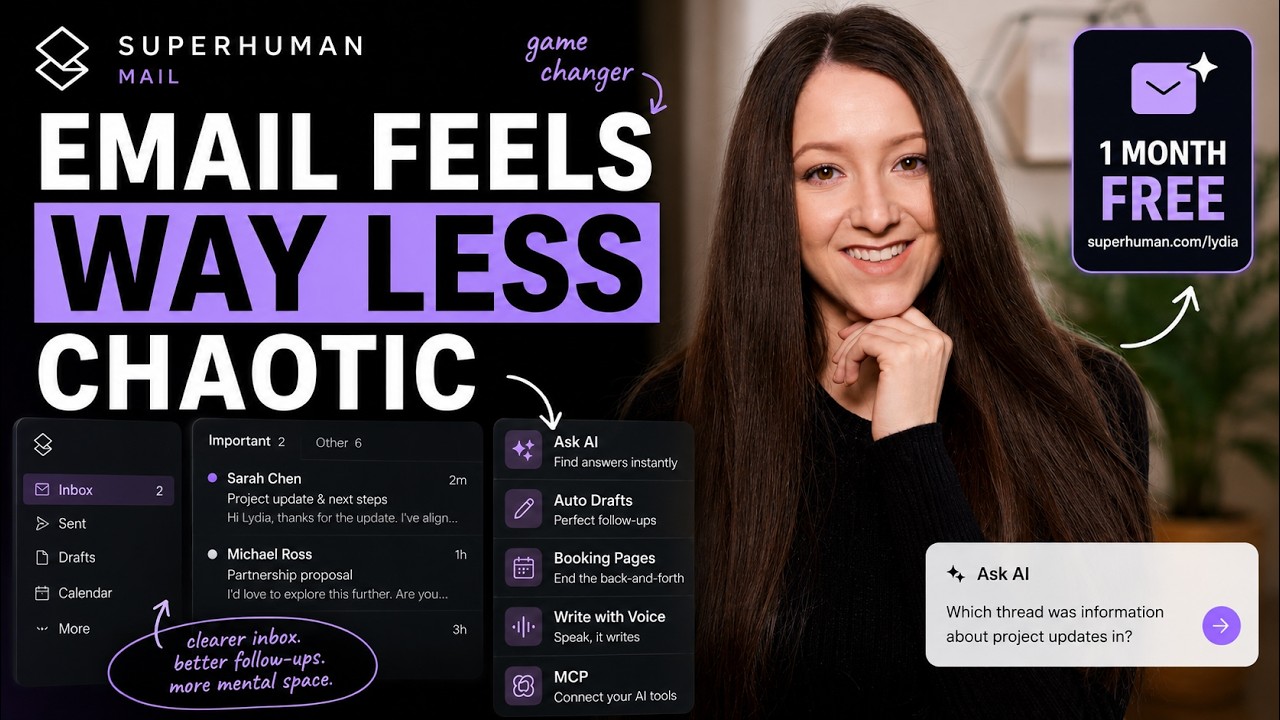
How Superhuman Mail Made My Inbox Feel 10x More Manageable
byLydiaM2 months ago
 YOUTUBE3.9K views
Superhuman Docs Tutorial: Use AI to Build Powerful Documents & Tables
KevinStratvert2 months ago
 YOUTUBE963 views
What comes after Coda? Initial reaction to Superhuman Docs
thecodaguy2 months ago
 YOUTUBE56 views
Superhuman Review: The Ultimate AI Productivity Suite for Professionals
quasa2 months ago
 YOUTUBE102 views
Grammarly AI → Superhuman Docs Agentic Demo
AI-AGENTIX2 months ago
Capabilities
Key features
Productivity Tools
Automates routine tasks and streamlines daily workflows to help you get more done
Email Assistant
Helps you draft, reply to, and organize emails directly in your inbox
Content Generator
Produces written content like articles, posts, and copy from brief prompts
Team Collaboration
Helps teams share work, coordinate tasks, and communicate inside shared AI workspaces
The honest take
What users love & flag
Distinct themes surfaced across 5.5K reviews from 7 sources — each grounded in real review text, ranked by how often it comes up.
Questions
Frequently asked
What is Superhuman?
Superhuman is an integrated productivity suite that combines AI-powered email management, writing assistance, team documentation, and cross-app AI functionality into one unified platform. It's designed to solve the fragmentation problem of switching between multiple productivity tools by providing AI assistance that maintains context across your entire digital workspace, promising to save users 4+ hours weekly.
Is Superhuman free?
Yes, Superhuman offers a free plan that includes basic AI chat, writing assistance, and limited document features. Paid plans start at $12 per member monthly (billed annually) for the Pro plan, with Business plans at $33 per member monthly and custom Enterprise pricing available.
How does Superhuman's email management work?
Superhuman Mail uses AI to transform email management with features like instant replies, auto-labels, auto-reminders, and voice-matching composition. It integrates CRM data from HubSpot, Salesforce, and Pipedrive directly within emails, and allows you to schedule meetings without leaving conversations, helping users respond 2x faster to important messages.
What makes Superhuman different from using separate productivity tools?
Unlike managing separate AI assistants for different tasks, Superhuman provides a unified approach where AI context and capabilities transfer seamlessly between email, writing, documentation, and external app interactions. This means you work with one cohesive system that maintains context across your entire workflow rather than losing efficiency switching between tools.
What writing assistance features does Superhuman include?
Superhuman includes AI writing assistance with tone detection, sentence rewrites in 24 languages, paragraph translations in 17 languages, plagiarism checking, and AI detection capabilities. The writing assistance matches your voice and tone and works across every application you use.
Can Superhuman integrate with other business tools?
Yes, Superhuman's Docs platform integrates with 800+ tools including Jira, GitHub, and Figma. The Business plan also includes CRM integrations with HubSpot, Salesforce, and Pipedrive, plus hourly data syncing to keep information current across platforms.
What platforms is Superhuman available on?
Superhuman is available as a web tool and on iOS devices. The platform operates across desktop, mobile, and web interfaces with real-time collaboration capabilities.
What's included in Superhuman's Business plan versus Pro plan?
The Pro plan ($12/month annually) includes unlimited paragraph rewrites, translations, AI detection, and 30-day version history. The Business plan ($33/month annually) adds the full Mail experience with CRM integrations, unlimited automations, hourly data syncing, and advanced collaboration features that the Pro plan doesn't include.
Compare Superhuman
Compare with another toolMore Like This
