What it is
Overview
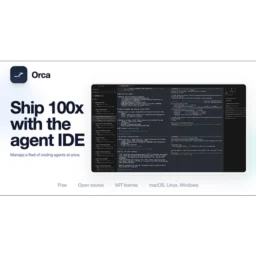
A multi-agent coding environment that runs Claude Code, Codex, and Cursor CLI agents simultaneously in separate git worktrees. Orca wraps these existing AI coding tools in a unified interface, letting developers manage parallel coding tasks without switching between different agent terminals. Built for software developers and DevOps engineers who want to test different AI approaches on the same codebase or run multiple coding experiments at once.
At a glance
Usability & Quality overview
Best for
- Developers already using Claude Code, Codex, or Cursor CLI
- Parallel AI coding tasks with isolated git worktrees
- Reviewing and merging AI-generated changes
Watch out for
- Assumes comfort with git/worktrees
- Parallel usage can multiply API or subscription costs
- Resource usage may be heavy for some setups
Built on another provider's modelWraps Claude
Orca provides genuine workflow automation by running multiple AI coding agents in parallel with isolated git worktrees, plus integrations with established tools like Claude Code, Codex, and Cursor CLI. The unified agent orchestration approach offers a meaningfully different experience from just prompting ChatGPT directly.
Strong evidenceQuality score
Orca A desktop IDE for running multiple AI coding agents in parallel, with separate git worktrees.
This score is our editorial judgment, computed automatically from the sources, weights, and dates shown above. It reflects the data we could verify as of August 12, 2026, not a guarantee or statement of fact about Orca. Third-party ratings and quotes belong to their original platforms and authors. Thin data lowers our confidence label, and we say so instead of guessing. Work on Orca? Dispute any datapoint and we will review it, publish your response, and correct verified errors.
PricingFree
Individual plan details haven't been verified yet — they'll appear here on the next data refresh.
Community feedback
Aggregated reviews
Ratings and quoted comments below are aggregated from third-party sources and reflect those users' views, not SearchTools.ai's.
What reviewers talk about
themes inside the Sentiment pillar — not score ingredients
62Output Quality25 mentions
“ahead of the same change i started to look at alternatives. First i tried to go back to using Webstorm with ghostty and claude code but missed the ease of use for worktrees and many many features that conductor has.I did not try the big terminal mode that much as i also was missing in conductor some IDE features like global search in files.So i decided to look at similar apps and what else they offered. That’s how i landed on Orca (onorca.dev). It is open source and i was really impressed by the”
“Ahead of the changes to Claude (claude -p) that should land today, I've started to use the Big terminal mode. I think it could work great but need some improvements before it is in a working state. I cannot drag & drop files into terminals. This is a blocker for me as I often screen grab while working with the frontend. I want to be able to name the terminal tabs. Workspaces are not automatically named (I understand that this is more difficult now). In combo with #2 it means that I soon find mys”
“On the organizational front, I recently switched to Orca (https://www.onorca.dev/docs) and can't believe I worked any other way. One app instead of several even aside from agent management.”
“Missing feature: After latest update there are so many bug. Cannot change effort level. Some time needs restart the app to see changes”
58Ease of Use15 mentions
“On the organizational front, I recently switched to Orca (https://www.onorca.dev/docs) and can't believe I worked any other way. One app instead of several even aside from agent management.”
“Ahead of the changes to Claude (claude -p) that should land today, I've started to use the Big terminal mode. I think it could work great but need some improvements before it is in a working state. I cannot drag & drop files into terminals. This is a blocker for me as I often screen grab while working with the frontend. I want to be able to name the terminal tabs. Workspaces are not automatically named (I understand that this is more difficult now). In combo with #2 it means that I soon find mys”
“ahead of the same change i started to look at alternatives. First i tried to go back to using Webstorm with ghostty and claude code but missed the ease of use for worktrees and many many features that conductor has.I did not try the big terminal mode that much as i also was missing in conductor some IDE features like global search in files.So i decided to look at similar apps and what else they offered. That’s how i landed on Orca (onorca.dev). It is open source and i was really impressed by the”
“I use it day and night: Kinda addicted to managing all my coding agents on my mobile app now”
Watch & learn
Video content
YouTube YOUTUBE54.4K views
Orca Core Guide: A Deep Dive into the Hottest New Tool
jayychoii2 months ago
 YOUTUBE7.7K views
I'm Using This Now! Orca IDE Review
hq_net2 months ago
 YOUTUBE4.2K views
Orca? cmux? herdr? Coding agents these days are...
weekdaycode2 months ago
 YOUTUBE3K views
Herdr vs Orca: Which AI Agent Orchestrator is Actually Worth It? (2026 Honest Review)
LearnWithTrevorReed2 months ago
 YOUTUBE7.8K views
Orca: YOU'RE MISSING OUT! This OPEN AGENT ORCHESTRATOR is CRAZY!
AICodeKing2 months ago
 YOUTUBE5.4K views
Control Any Coding Agent From Your Phone (Orca)
EricWTech2 months ago
Capabilities
Key features
Code Assistant
Helps you write, explain, and fix code directly inside your editor
Developer Tools
Provides utilities that help programmers build, test, and ship software faster
Workflow Management
Automates multi-step processes and routes tasks across your tools and team
The honest take
What users love & flag
Distinct themes surfaced across 18 reviews from 1 source — each grounded in real review text, ranked by how often it comes up.
Questions
Frequently asked
What is Orca?
Orca is a desktop IDE designed for orchestrating multiple AI coding agents in parallel without the hassle of branch switching. It creates separate git worktrees for each AI agent session, allowing you to run tools like Claude Code, Codex, and Cursor CLI simultaneously on the same codebase. Each task gets its own terminal, browser tab, and development context for seamless workflow management.
How does Orca solve the branch juggling problem?
Orca uses git worktrees to create separate working directories for each AI agent session, eliminating the need to constantly switch branches or stash changes. This means you can run three different AI agents on the same bug simultaneously and compare their results without losing your development flow or corrupting your git history.
Which AI coding services does Orca integrate with?
Orca integrates with Claude Code, Codex, and Cursor CLI as a unified interface for these existing AI coding services. You maintain your existing subscriptions to these services, as Orca doesn't provide AI models directly but orchestrates the tools you already use.
What platforms is Orca available on?
Orca is available as a desktop application for Mac, with web-based access and a companion iOS mobile app. The mobile app provides notifications and activity monitoring for your ongoing development sessions.
Can I use Orca for remote development?
Yes, Orca supports extensive remote development capabilities including SSH worktrees, self-hosted Orca servers, and cloud VM integrations. The core application runs locally but can manage remote development environments without losing IDE features.
How does Orca handle code review for AI-generated changes?
Orca includes a sophisticated diff viewer that lets you review AI-generated code changes line by line before committing to version control. This treats code review as a first-class concern, ensuring you maintain clean commit histories across parallel agent sessions.
Does Orca integrate with project management tools?
Yes, Orca includes integration with project management tools like Linear and Jira through dedicated item drawers within the IDE. This allows you to manage project tasks directly from your development environment.
What makes Orca different from other AI coding assistants?
Unlike browser-based or single-agent solutions, Orca maintains multiple active development contexts simultaneously while preserving standard git practices. It's specifically designed for professional developers who need to compare different AI approaches on the same codebase without losing development flow or creating messy git histories.
Compare Orca
Compare with another toolMore Like This
