
What it is
Overview
Microsoft Designer generates graphics, social media posts, and presentation visuals through AI prompts and template selection. Built as a proprietary design tool within Microsoft's suite, it targets office workers and small business owners who need quick visual content without design expertise. Early reviewers praise the Office integration — designs flow directly into PowerPoint slides and Word documents. The tool draws 1.7 million monthly visits from content creators running social accounts and teams building internal presentations.
At a glance
Usability & Quality overview
Best for
- quick social graphics
- beginner design workflows
- template-driven AI image and layout creation
Watch out for
- Not enough evidence here to confirm community-wide sentiment from Reddit or HN
- May feel limiting for advanced design or collaborative workflows
- Free usage appears constrained in some reviews
Real product, not a wrapperIndependent product
Microsoft Designer offers specialized design capabilities and integrates with Office applications like Word, PowerPoint, and Excel. While it provides domain-specific fine-tuning for design tasks, it appears to primarily wrap existing AI image generation technology rather than offering proprietary models or advanced workflow automation.
Moderate evidenceQuality score
Microsoft Designer is an AI graphic design tool for quick, template-based visuals, but lacks collaboration.
This score is our editorial judgment, computed automatically from the sources, weights, and dates shown above. It reflects the data we could verify as of July 23, 2026, not a guarantee or statement of fact about Microsoft Designer. Third-party ratings and quotes belong to their original platforms and authors. Thin data lowers our confidence label, and we say so instead of guessing. Work on Microsoft Designer? Dispute any datapoint and we will review it, publish your response, and correct verified errors.
PricingFree
Individual plan details haven't been verified yet — they'll appear here on the next data refresh.
Community feedback
Aggregated reviews
Ratings and quoted comments below are aggregated from third-party sources and reflect those users' views, not SearchTools.ai's.
What reviewers talk about
themes inside the Sentiment pillar — not score ingredients
41Output Quality22 mentions
“I downloaded and installed Microsoft Designer on my laptop and it's LIT! DA BOMB! Even though I'm now a Software Engineer, I still possess my graphic design skills and was able to push out 10 graphic designs in less than 15 minutes, and I also use it within Word, PowerPoint and Excel. Even my boss was extremely impressed and gave me a 40% increase in my hourly pay. It's all thanks to you Kevin. YOU ROCK! 🙌🙌🙌🙌🙌🙌🙌”
“Designer is dumbed down rubbish, a poor shadow of Canva. I felt pressured to try it as it's supposed to be a replacement to the fabulous multi talented Microsoft Publisher 365. Super disappointed that Microsoft thinks this is an equivalent tool. I will be using my older perpetual version of Publisher until I'm forced to pay for the superior Adobe design suite.”
“:( MS Desinger with AI is proberly the worst on market.. It adds things that has nothing to do with request, and even when specific writing that things should be left out, it keeps adding these.. someone should be giving thier slaery back for not doing thier job”
“Seit dem letzten Update nur noch dunkle Bilder. Die Anforderungen werden nicht befolgt, Von über 100 mal generieren kann man 1 Bild verwenden was ungefähr passt. Das war echt mal besser. Bin momentan ziemlich enttäuscht. ”
15Value & Pricingthin data · 8 mentions
“Nicht zu empfehlen, ich habe das Microsoft 365 Produkt gekauft und wollte nun den Designer testen, jedoch habe ich gerade einmal generieren können und nun kommt immer die Meldung. Auf unserer Seite ist ein Fehler aufgetreten. Versuchen Sie es später noch einmal. Bei jedem Versuch der dann wieder nicht funktioniert werden mir KI Credits abgezogen.. also für 0 Bilder. Wenn man kaufen soll dann sollte alles perfekt funktionieren. So aber nicht, schade.”
“Ich habe die KI-Generierung gerne genutzt um Bilder zu erstellen, leider braucht es oft mehrere Versuche um das passende Bild zu bekommen. Die plötzliche Neuerung nur noch 15 Credits pro Monat (!) zu haben, anstatt vorher unbegrenztes Kontingent plus 15 Boosts pro Tag finde ich eine Frechheit. Damit hat man kaum noch Möglichkeiten gute Bilder zu erstellen. Hier scheint es nur um Profit zu gehen. Zumindest für Abonnenten aller Abonnements sollte es wieder unbegrenzt sein oder mindestens 15 Bilde”
“This is even worse than the recent model downgrade debacle in my mind. 15 prompts a month makes this borderline unusable and destroys the remaining value compared with competitors which are now beginning to offer way more. Ideogram gives you ten prompts a day and Google's Image FX/Gemini image generation is pretty much unlimited.”
“It’s right at the top of the terms, under applicable terms (b): “You agree that your use of Designer is for personal use only and not for use in the course of trade or commerce.””
9Reliabilitythin data · 5 mentions
“Nicht zu empfehlen, ich habe das Microsoft 365 Produkt gekauft und wollte nun den Designer testen, jedoch habe ich gerade einmal generieren können und nun kommt immer die Meldung. Auf unserer Seite ist ein Fehler aufgetreten. Versuchen Sie es später noch einmal. Bei jedem Versuch der dann wieder nicht funktioniert werden mir KI Credits abgezogen.. also für 0 Bilder. Wenn man kaufen soll dann sollte alles perfekt funktionieren. So aber nicht, schade.”
“When I wanted to save my project after working on it for quite some time, it told me something went wrong and deleted all my changed without an option to get them back”
“Is there something along the lines of we will delete almost your entire collection in that update? Cause that's exactly what happened to me.....”
“I'm using Microsoft Designer to make a cookbook. However, when I download to save it, when I open it, some of the pages show as blank even though there's content on the. Any advice on how to fix this?”
29Ease of Use18 mentions
“I downloaded and installed Microsoft Designer on my laptop and it's LIT! DA BOMB! Even though I'm now a Software Engineer, I still possess my graphic design skills and was able to push out 10 graphic designs in less than 15 minutes, and I also use it within Word, PowerPoint and Excel. Even my boss was extremely impressed and gave me a 40% increase in my hourly pay. It's all thanks to you Kevin. YOU ROCK! 🙌🙌🙌🙌🙌🙌🙌”
“Dear me, what is Microsoft thinking? Why? Publisher is good. It works, it's got everything I need to create booklets, posters, flyers. Designer? If there are features, it's not apparent where they are. What is the page I see? How do I mark it up? Where are all the tools? Text boxes? Where are the margins? Where is Save? I can download, how do I save to pdf for the printer. I'm off to find an alternative to Publisher, or see if I can get an old version of an old device.”
“Microsoft only does bad ux. It’s shocking how terrible their ux is across the board. You might see something that’s okay on the surface just to find out it’s terrible in application.”
“Designer is dumbed down rubbish, a poor shadow of Canva. I felt pressured to try it as it's supposed to be a replacement to the fabulous multi talented Microsoft Publisher 365. Super disappointed that Microsoft thinks this is an equivalent tool. I will be using my older perpetual version of Publisher until I'm forced to pay for the superior Adobe design suite.”
68Trust derived from dimensions + predator detectionview math
A composite of the quality dimensions weighted by mention volume, then capped by predator / abuse-detection rules.
Reasoning
Watch & learn
Video content
YouTube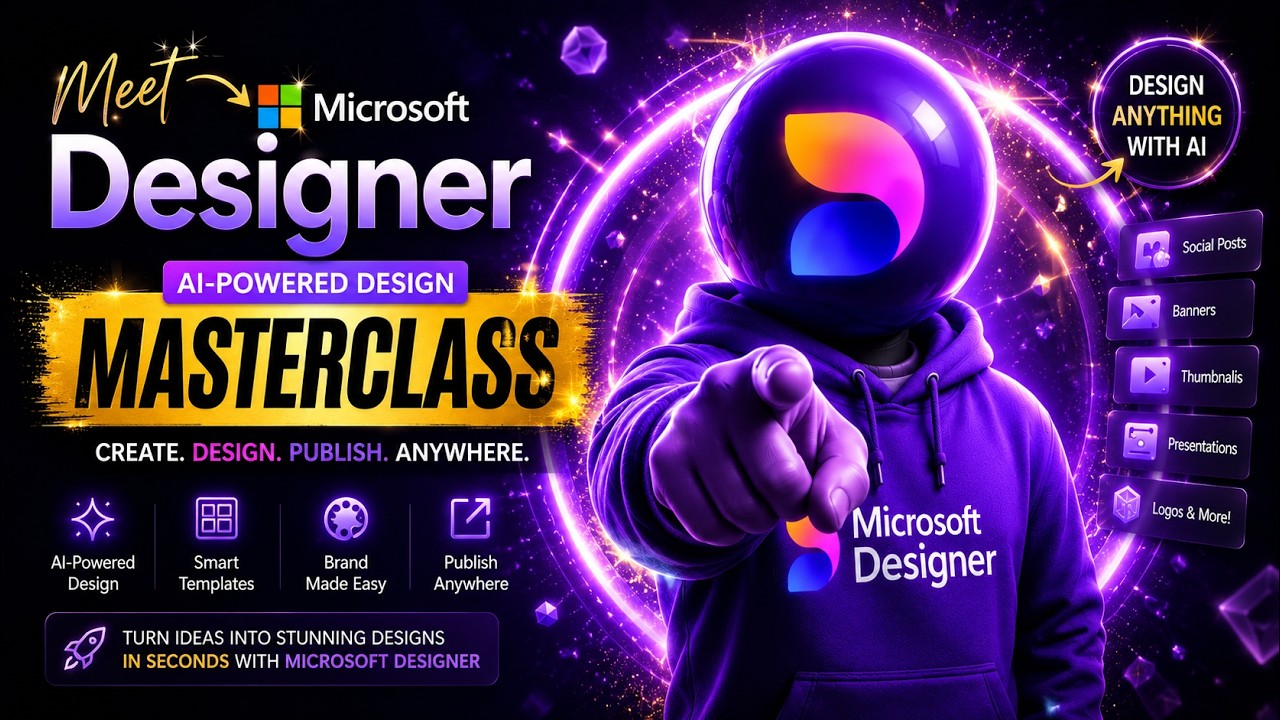 YOUTUBE32 views
Meet Microsoft Designer —AI Design Masterclass(Full Tutorial 2026)#aitools2026#tech#viral#microsoft
MeettheAItool3 months ago
Capabilities
Key features
Graphic Design
Creates layouts, posters, and visual designs from prompts and brand inputs
Design Generator
Generates visual designs and graphics for layouts, branding, and digital assets
The honest take
What users love & flag
Distinct themes surfaced across 9.1K reviews from 3 sources — each grounded in real review text, ranked by how often it comes up.
Questions
Frequently asked
What is Microsoft Designer?
Microsoft Designer is an AI-powered design platform that helps users create stunning visual designs quickly without extensive design expertise. It's Microsoft's solution for rapid graphic creation and visual content development, targeting individuals and professionals who need to produce professional-looking graphics efficiently.
What can Microsoft Designer create?
Microsoft Designer can create visual designs for presentations, social media, marketing materials, and other business communications. The platform uses graphic design templates and AI assistance to help users produce professional-looking graphics with minimal manual effort.
What platforms is Microsoft Designer available on?
Microsoft Designer is available as a web tool that you can access through your browser, and it also has an iOS app for mobile devices. This allows you to create designs both on desktop and mobile platforms.
Do I need design experience to use Microsoft Designer?
No, Microsoft Designer is specifically designed for users without extensive design expertise. The platform utilizes AI assistance and automated suggestions to help you create professional-looking graphics quickly, making it accessible to anyone who needs visual content.
How does Microsoft Designer integrate with other Microsoft services?
While Microsoft Designer is part of Microsoft's product portfolio, the specific integration details with services like Office 365 or OneDrive are not confirmed in the available information. However, being a Microsoft tool suggests it may work seamlessly within the broader Microsoft ecosystem.
Is Microsoft Designer free to use?
The pricing information for Microsoft Designer is not currently available in the provided details. You'll need to visit the Microsoft Designer website or check with Microsoft directly to learn about pricing options and any free tier availability.
Compare Microsoft Designer
Compare with another toolMore Like This
