
What it is
Overview
A script-to-video generator that takes text input and produces social media videos with stock footage, voiceovers, and automated editing. Built for social media managers and small business marketers who need to turn written content into video posts quickly. The tool draws from a large stock footage library and offers multiple output formats for different platforms. Early reviewers describe fast generation speeds as the main draw, though the small sample of 68 reviews shows mixed sentiment on output quality.
At a glance
Usability & Quality overview
Best for
- Script-to-video automation for content creators
- Long-form video content with templates
- Users needing AI voiceover and subtitles
Watch out for
- Pricing model feels expensive relative to quality offered
- Credit system causes 'money drain' with low usage limits
- Editing features may encounter glitches and poor UX
Build typeIndependent product
InVideo AI combines script writing, stock footage selection, voiceover generation, and video editing into a single automated workflow. While this saves time compared to manual editing, the tool appears to use standard AI models and stock libraries rather than proprietary technology.
Moderate evidenceQuality score
invideo AI The most capable AI script-to-video generator for long-form content with vast templates, but expensive at scale with low credit limits.
This score is our editorial judgment, computed automatically from the sources, weights, and dates shown above. It reflects the data we could verify as of July 12, 2026, not a guarantee or statement of fact about invideo AI. Third-party ratings and quotes belong to their original platforms and authors. Thin data lowers our confidence label, and we say so instead of guessing. Work on invideo AI? Dispute any datapoint and we will review it, publish your response, and correct verified errors.
Plans
Pricing
How free is free?
No free tier
Paid only; starts at $200/year for Plus plan
Behind the paywall
- Basic video generation (75 credits/mo)Plus ($200/year)
- AI avatars & voice clones (4 included)Plus ($200/year)
- Higher credit allowance (390+ credits/mo)Max ($1000/year)
- Increased concurrency and storageMax ($1000/year)
Cost to actually use
Based on 51 classified review complaints about rate limits, credits, and billing.
Community feedback
Aggregated reviews
Ratings and quoted comments below are aggregated from third-party sources and reflect those users' views, not SearchTools.ai's.
What reviewers talk about
themes inside the Sentiment pillar — not score ingredients
36Output Quality63 mentions
“I hit YouTube monetization at month 4 using only AI-generated videos. No camera, no mic, no editing software. Here's the honest breakdown after 90 days. What it is You type a topic. InVideo AI writes the script, pulls stock footage from 16 million clips, adds a voiceover, backgro”
“If I could give them 0 stars, I would. I spent $70 in a project that turned out horrible (less than 40 second video)..they had constant glitches and kept using the credits. I cant even use the only video I created because it didn't turn out as expected. They had floating characte”
“It is a SCAM. Do not waste your money, I spent over $100 for a 3 minute video and yet could not get the video complete. The app is a mess and a scam. I believe there should be a place where we can complain and get our monies back.”
“DO NOT WASTE YOUR MONEY Rinsed me for 150 dollars to build the worst VSL you've ever seen. Not cohesive at all, it's so bad. The content is bad. It doesn't listen. It made constant errors and sucked up all my budget for video creations in my business and delivered absolutely not”
23Value & Pricing64 mentions
“"I’ve made 94 videos with InVideo AI, and here’s why it’s my go-to:* Speed That Doesn’t Quit – Even when their servers are busy, I never wait long. Unlike other tools that freeze or throttle free users, InVideo AI stays fast. Edit Anything, Anytime – Hate a clip? Swap it in secon”
“ very disappointing experience with this app. first up their basic plan is very costly and is very impractical for new creators also the credit points run out very quickly no clear instructions on how to use the app. i didn't get to generate any videos even though i payed for sub”
“If I could give them 0 stars, I would. I spent $70 in a project that turned out horrible (less than 40 second video)..they had constant glitches and kept using the credits. I cant even use the only video I created because it didn't turn out as expected. They had floating characte”
“After multiple attempts at using the program, 5 times to be exact, only one project was usable and it was more of a picture slide show than video. The programs failed attempts at generating a project it scripted itself cost credits each attempt. After using all availiable credits”
36Reliability11 mentions
“"I’ve made 94 videos with InVideo AI, and here’s why it’s my go-to:* Speed That Doesn’t Quit – Even when their servers are busy, I never wait long. Unlike other tools that freeze or throttle free users, InVideo AI stays fast. Edit Anything, Anytime – Hate a clip? Swap it in secon”
“If I could give them 0 stars, I would. I spent $70 in a project that turned out horrible (less than 40 second video)..they had constant glitches and kept using the credits. I cant even use the only video I created because it didn't turn out as expected. They had floating characte”
“After multiple attempts at using the program, 5 times to be exact, only one project was usable and it was more of a picture slide show than video. The programs failed attempts at generating a project it scripted itself cost credits each attempt. After using all availiable credits”
“Wonderful Platform, Disappointing Support — For 1 month it was heaven. Then they upgraded and all heck broke loose. It slowed down to a crawl, making an hour job take 4 hours. And old project that you want to redownload will charge you for premium clips already paid for. HORRIBLE”
20Support18 mentions
“Best Video Editing Tool with Awesome Customer Support | InVideo should always be used without hesitation. I highly recommend it to use for your video editing journey, because It's a wonderful piece of software that will make creating films a breeze for everyone. External individu”
“Invideo is using misleading advertising. They promote a 7-day refund policy, but if you generate even ONE single video to test the app and realize the quality is full of glitches and completely unusable, they refuse to refund you claiming you used 'compute resources'. How can som”
“It's just a rip-off. A lot of money for nothing. Always just more credits and more... but never a finished product. Money back? No chance. Supposedly a few credits as a gesture of goodwill. But they're never credited to my account. No results, no money, nothing. The service is te”
“$125 Down the Drain: My InVideo AI Experience Was a Complete Disaster (With Receipts) TL;DR: Spent $125 on InVideo AI to create a promotional video for my startup. Got unusable garbage with spelling errors in 95% of scenes, sailboats sailing BACKWARDS, morphing screwdrivers, and ”
63Ease of Use40 mentions
“I hit YouTube monetization at month 4 using only AI-generated videos. No camera, no mic, no editing software. Here's the honest breakdown after 90 days. What it is You type a topic. InVideo AI writes the script, pulls stock footage from 16 million clips, adds a voiceover, backgro”
“A few months ago I used InVideo to create Shorts and then cancelled my subscription. Recently I decided to try it again, so I subscribed to the basic $20 plan. Now there is this new AI system, and honestly it was very confusing. While trying to create a YouTube Shorts video, I ev”
“if you’re trying to make side cash and don’t want to show your face or spend hours editing, hear me out. i recently started using AI tools to create videos for clients and niche channels. i use invideo, it lets you turn blog posts or scripts into pro-looking videos in minutes. i ”
“"I’ve made 94 videos with InVideo AI, and here’s why it’s my go-to:* Speed That Doesn’t Quit – Even when their servers are busy, I never wait long. Unlike other tools that freeze or throttle free users, InVideo AI stays fast. Edit Anything, Anytime – Hate a clip? Swap it in secon”
30Trust derived from dimensions + predator detectionview math
A composite of the quality dimensions weighted by mention volume, then capped by predator / abuse-detection rules.
Reasoning
Watch & learn
Video content
YouTube YOUTUBE2K views
I Found the Best AI Film Agent (it's not what you think)
JosephMartin3 months ago
 YOUTUBE595 views
I Tested InVideo Agent One: The First AI Filmmaking Agent (Mind-Blowing Results!)
letsdesign4 months ago
 YOUTUBE300 views
InVideo AI Pros And Cons Honest Review (12K Mega Bonus Inside)
evansluutu4 months ago
 YOUTUBE2K views
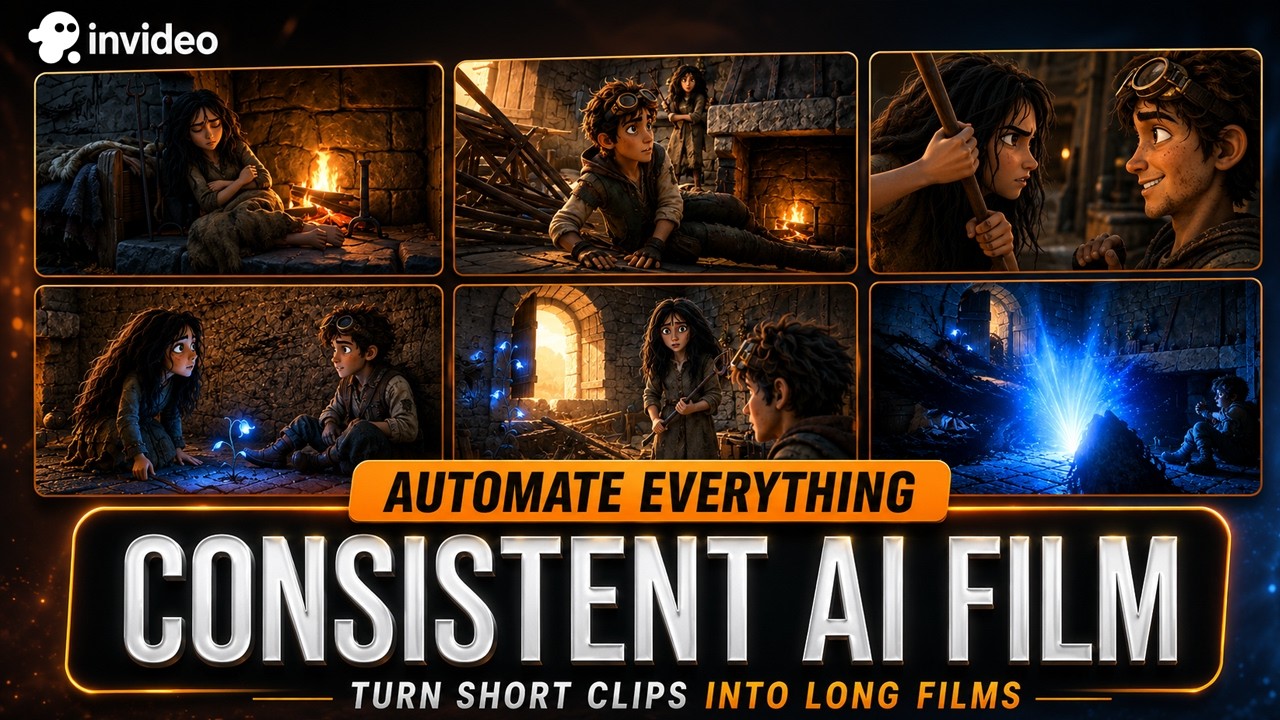
I Stopped Prompting AI. Now I Direct It. (invideo Agent One)
ComfyUIworkflows4 months ago
 YOUTUBE3.1K views
Top AI Video Generator Tool (Step By Step Guide 2026)
Official_AI_Insider3 months ago
Invideo Ai lets you create these trending cinematic ad videos , You can create one for your business and clients. This is perfect for reaching a wider audience and you don’t need any international Crew, Just you and Invideo Ai. #invideo #invideoai #courseboxai #artificialintelligence #ai
brightchuksm1 year ago
Capabilities
Key features
Video Generator
Creates original video clips from text prompts, images, or scripts
Content Generator
Produces written content like articles, posts, and copy from brief prompts
Script Writing
Writes scripts for videos, films, and podcasts with dialogue, scenes, and structure
The honest take
What users love & flag
Distinct themes surfaced across 163.6K reviews from 5 sources — each grounded in real review text, ranked by how often it comes up.
Questions
Frequently asked
What is invideo AI?
invideo AI is a video creation platform that uses AI agents with long-term memory to generate consistent video content from scripts to final cuts. The platform maintains character and scene consistency across multiple clips and projects, making it ideal for filmmakers and content creators who need professional-quality results without constant prompting.
How does invideo AI maintain consistency across video projects?
invideo AI uses specialized AI agents that store project context in long-term memory, ensuring character appearances, scene settings, and visual style remain consistent throughout a project. Unlike traditional AI video tools that treat each generation independently, these agents can modify multiple shots simultaneously and remember project details across sessions.
What AI models does invideo AI have access to?
invideo AI provides access to over 200 AI models, including Google Veo 3.1, Kling 3.0, and Seedance 2.0. The system automatically selects appropriate models based on your project needs and handles the technical prompt engineering internally, so you can describe scenes naturally rather than learning complex prompt syntax.
How much does invideo AI cost?
invideo AI uses a credit-based pricing structure with four annual plans: Plus at $200/year (75 credits monthly), Max at $1,000/year (390 credits monthly), Generative at $2,000/year (800 credits monthly), and Elite at $10,800/year (4,250 credits monthly). All plans include access to all AI models, unlimited exports without watermarks, and stock media from providers like iStock and Storyblocks.
Can I collaborate with team members on invideo AI?
Yes, invideo AI supports real-time multiplayer collaboration with live cursors, allowing team members to work together on projects simultaneously. The platform includes a timeline editor that functions like Premiere Pro with full AI integration for collaborative video editing.
Does invideo AI help with scriptwriting and storyboarding?
Yes, invideo AI includes integrated script writing tools and automatic storyboarding features that convert scripts into detailed shot-by-shot plans. You can input scripts or creative briefs, and the AI agents will automatically create storyboards and handle the video generation process from there.
What platforms is invideo AI available on?
invideo AI is available as a web-based tool that you can access through your browser, and it also has an iOS app for mobile use. This allows you to work on video projects from both desktop and mobile devices.
What makes invideo AI different from other AI video generators?
invideo AI's key differentiator is its agent-based approach that eliminates repetitive prompting and maintains creative consistency across projects. The AI agents remember project details and can modify entire sequences at once, such as changing locations or costumes across multiple clips without regenerating each one individually.
Compare invideo AI
Compare with another toolMore Like This
